• EEi Feature: Teacher Audio Feedback

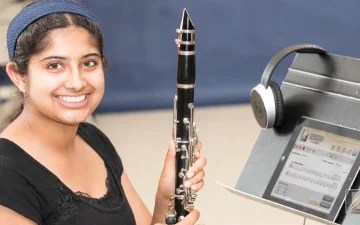
    Record audio feedback for student recording assignments inside EEi — voice tips, demonstrate a passage on your own instrument, or just offer genuine encouragement. Reply to more submissions faster, give students more clarity about their progress, and let them hear your voice in feedback.

    Read More →
  • EEi Google Classroom Integration

    EEi includes free Google Classroom Integration with Single Sign-On for teachers and students, plus a direct connection between EEi assignments and the Google Classroom gradebook.

    Read More →
  • Essential Elements Includes Free SoundCheck™ Performance Assessment

    SoundCheck, powered by MatchMySound, scores every Essential Elements exercise on pitch, rhythm, and intonation as students play — try the embedded demo, then assign performance assessments alongside Music Studio audio and video, all free with your EEi Teacher Account.

    Read More →
  • EEi Video Assignments

    Enable video recording for your students in your EEi Teacher Account and they’ll see the video icon appear in the Music Studio. Students record, review, re-record, and submit; teachers review audio and video together, leave written or audio feedback, and grade right inside EEi.

    Read More →
  • Song Selection Feature

    Tailor the EEi Music Studio to your curriculum by enabling or disabling specific songs in your students’ accounts. Three steps: open the Music Studio, click SONGLIST in the left-hand column, then toggle individual songs on or off — useful for skipping content or matching pacing.

    Read More →
  • Creating an EEi Recording Assignment

    Build EEi Recording Assignments to track student progress on EE exercises, fundamentals, class music, and concert prep. Pick the exercise or all-music title, set points and due date, choose recipients, optionally attach a self-assessment rubric, then grade submissions on a color-coded grid as they come in.

    Read More →
  • EEi My Students Update

    EEi's My Students section gets refreshed sorting, list view, search, mobile-friendly layout, and three streamlined ways to add students — invite by link, Excel upload, or one-by-one.

    Read More →
  • Creating Rubrics in EEi

    Build custom self-assessment rubrics in EEi. Open Recording Assignments, switch to the Rubrics tab, add a title and focus questions, save and preview, then attach the rubric to any recording assignment so students reflect on tone, rhythm, or whatever you choose when they submit.

    Read More →
  • EEi Music Studio Tutorial

    The EEi Music Studio is the practice tool at the heart of EEi: play along with professional accompaniments, record yourself, slow tempo, loop sections, and submit to your teacher.

    Read More →