
If your school uses EEi and your teacher gave you a School Code (but not a Student ID), this is your flow. Six steps to create your account and join your teacher’s class.
Before you start
Have these ready:
- The School Code from your teacher (a short alphanumeric string)
- The Student Activation Code from the back inside cover of your EE Student Book
- A working email address — school or personal, whichever your teacher prefers
Step-by-step
1. Open the EEi sign-in page.

2. Choose Create an Account.

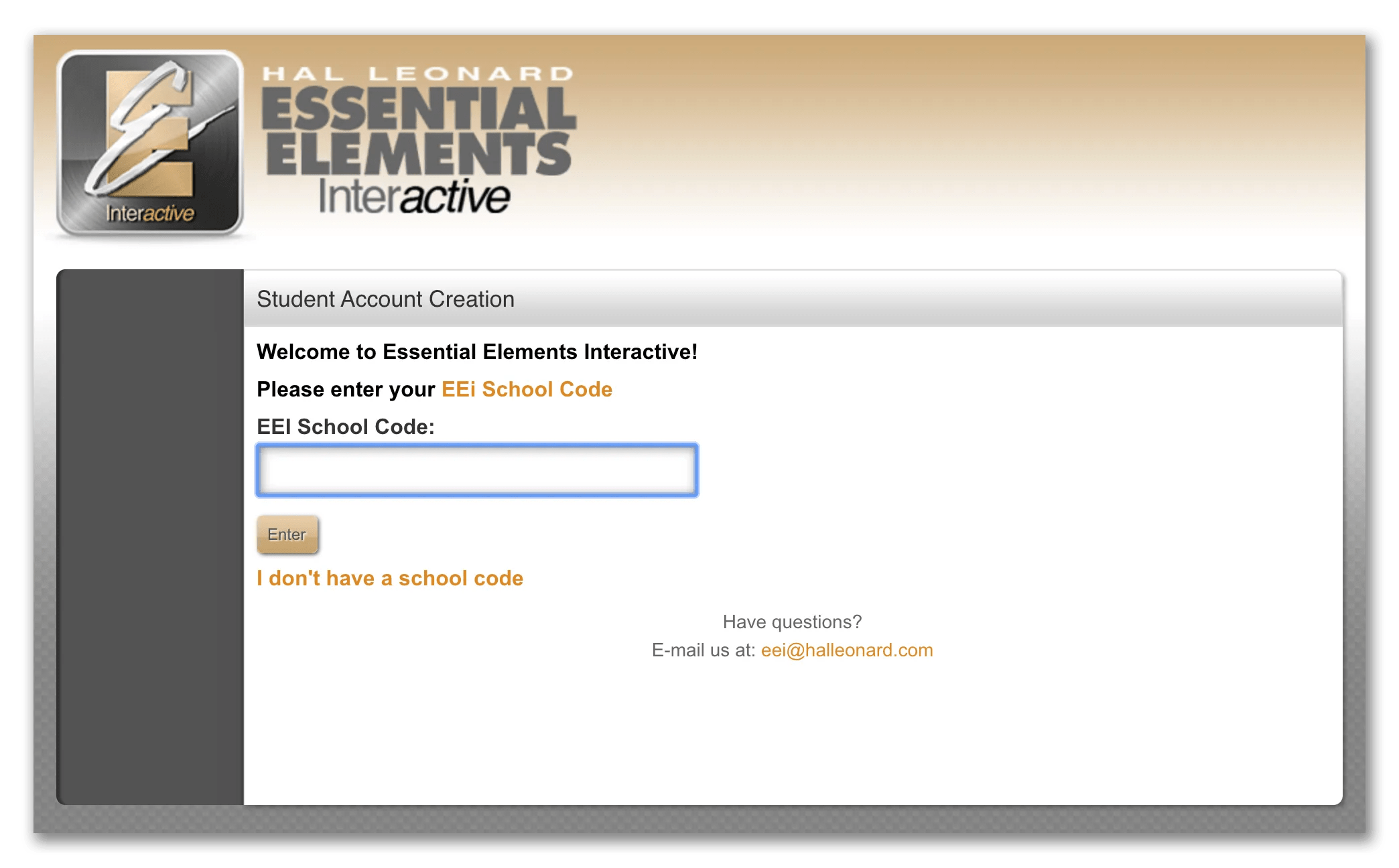
3. Enter your School Code. Type the code exactly as your teacher gave it to you — these are usually case-sensitive.
4. Accept the Terms of Agreement.

5. Fill in your account information — name, username, password, and the Student Activation Code from your EE Student Book.

6. Verify your email. Open the verification email and click the link to confirm.

After you sign up
You are now connected to your teacher’s class. Sign in any time to see assignments, watch instructional videos, and play along with tracks that match your EE Student Book.
Leave a Reply